



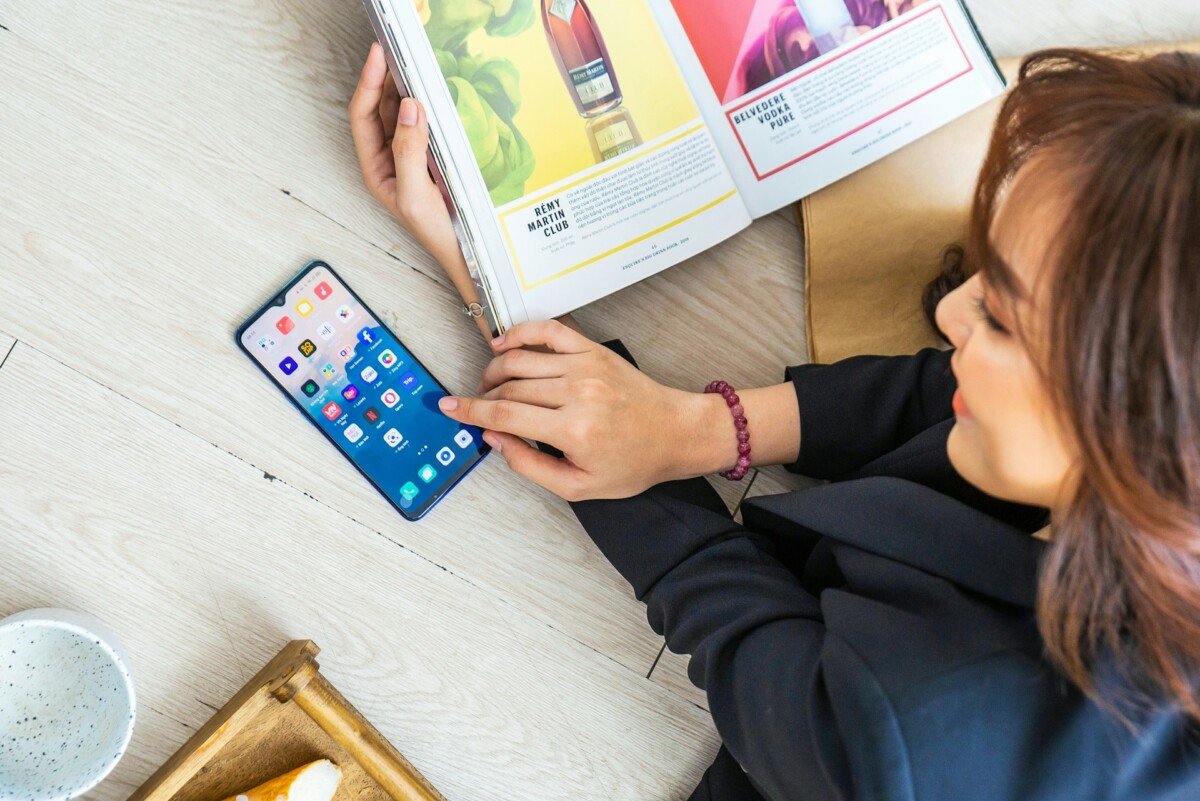
You sit down to read. Your phone buzzes. You glance at it. It is a message notification. You read it, respond, and put the phone down. You return to your book. Thirty seconds later, another buzz: an app update. You ignore it. But now you are thinking about the first message. You pick up the phone to check if there is a reply. While there, you notice three other notifications. You open one. Twenty minutes later, you are scrolling through a feed you did not plan to open. The book is still on page one.
This is not a failure of willpower. It is the predictable result of a system designed to capture your attention, operating during the hours when you are supposed to be resting, thinking, or doing something you actually chose to do.
The average smartphone user in the United States now receives 46 push notifications per day and checks their phone 352 times, once every two minutes and 43 seconds, according to data from Business of Apps and Asurion. Microsoft’s 2025 Work Trend Index found that workers receive a notification every two minutes during work hours, adding up to approximately 275 interruptions per day.
These numbers describe the work day. But notifications do not stop when work ends. They follow you into your evening, your weekend, your meals, and your rest. And their impact on free time is, in many ways, more damaging than their impact on work, because free time is where you are supposed to recover, connect with others, pursue interests, and do the things that make life more than a series of tasks.
This article examines how notifications change your free time, why the effect is more significant than most people realize, and what practical steps you can take to reclaim your attention during the hours that belong to you.

What Notifications Actually Do to Your Brain
The Attention Residue Problem
When a notification arrives, it does not just take the two seconds you spend glancing at your screen. It leaves behind what researchers call “attention residue,” a fragment of your attention that remains attached to the notification even after you return to what you were doing.
Research by Gloria Mark at UC Irvine shows it takes an average of 23 minutes and 15 seconds to fully regain deep focus after a single disruption. A Michigan State University study found that interruptions averaging just 2.8 seconds, roughly the time it takes to glance at a push notification, doubled the error rate on sequence-based tasks.
Now apply this to free time. You are having a conversation with your partner. A notification arrives. You glance at it for three seconds. You put the phone down and return to the conversation. But part of your attention is now processing the notification: who sent it, whether it needs a response, what it means. You are physically present but cognitively split. The conversation continues, but something is missing from it.
The Phantom Notification Effect
Surveys indicate that up to 40% to 47% of heavy smartphone users experience “phantom notification” sensations, the feeling that your phone buzzed or rang when it did not. This means your phone does not even need to actually produce a notification to disrupt your attention. The expectation of a notification is itself a distraction.
Your brain has been trained to anticipate interruptions, so it monitors for them even when none arrive. This low-level vigilance, running constantly in the background, reduces your ability to fully immerse yourself in whatever you are doing during your free time.
The Variable Reward Loop
Notifications operate on the same psychological mechanism as slot machines: variable reinforcement. You do not know when the next notification will arrive or what it will contain. It might be meaningless (an app promotion) or important (a message from someone you care about). This unpredictability makes notifications compulsive to check, because each one might be the “reward.”
This is by design. App developers optimize notification timing, frequency, and content to maximize engagement, which is a commercial term for capturing and holding your attention. Your free time is the product being sold to advertisers and platforms.
How Notifications Reshape Free Time
They Fragment Your Attention Into Unusable Pieces
Under-25s now switch digital tasks about every 40 seconds on average, contributing to an estimated 20% productivity loss. The average focused session at work lasted just 13 minutes and 7 seconds in 2025, down 9% from 2023, based on ActivTrak‘s 2026 State of the Workplace report.
If focused attention is this fragmented during work, the effect on free time is arguably worse, because free time activities (reading, creative work, conversation, reflection) are typically less structured and easier to abandon than work tasks.
The result is that free time gets divided into tiny, disconnected fragments: four minutes of reading, a notification check, two minutes of scrolling, back to reading, another notification, then you open a different app entirely. By the end of the evening, you have “spent time” on several things but have not fully engaged with any of them. The free time existed, but the quality of attention during that time was so degraded that it felt unsatisfying.
They Replace Chosen Activities With Reactive Ones
There is an important distinction between chosen activities and reactive activities.
Chosen activities are things you decide to do because they matter to you: reading, exercising, spending time with family, working on a hobby, resting, thinking.
Reactive activities are things you do in response to an external prompt: checking a notification, responding to a message, opening an app because a badge caught your eye, scrolling a feed because an alert pulled you in.
Notifications continuously shift your free time from chosen to reactive. You planned to read. A notification pulled you into a messaging app. You planned to rest. A social media alert pulled you into a feed. You planned to exercise. A work email notification made you feel like you needed to respond first, and the exercise window closed.
Over time, this pattern can change what your free time actually looks like. Instead of a period of intentional activity and genuine rest, it becomes a series of reactions to whatever your phone presents next.
They Make Rest Feel Unrestful
Free time is supposed to replenish you: mentally, emotionally, and physically. But constant notification-checking prevents genuine disengagement from the demands of work, social obligations, and information consumption.
Evening and late-night scrolling correlate with focus drops of around 30 to 35% compared with late-morning peak productivity periods. This means the negative effects of notification-driven behavior are amplified during precisely the hours when you need to be winding down.
You can spend an entire evening “relaxing” on the couch while checking your phone every few minutes and arrive at bedtime feeling more tired than when you sat down. The time was not restorative because your attention was never at rest.
They Erode Social Connection
Perhaps the most significant cost of notifications during free time is their impact on the people around you.
When you check your phone during a conversation, a meal, or quality time with family, you are communicating that whatever is on the screen might be more important than the person in front of you. Even a brief glance signals divided attention.
Research has described this phenomenon as “phubbing” (phone snubbing), and studies have consistently found that perceived phubbing reduces relationship satisfaction, increases feelings of exclusion, and weakens the quality of social interactions.
Your phone is not just stealing time from your free activities. It is degrading the relationships those activities are supposed to nourish.
An Audit: How Notifications Affect Your Specific Free Time
Before making changes, it helps to understand how notifications currently operate in your life. Try this one-week audit.
The Notification Audit (7 Days)
Day 1 to 3: Observe without changing anything.
For three days, track:
- How many times you check your phone in the evening (from end of work or school until bedtime)
- What prompted each check (a notification, a habit, boredom, anxiety)
- What you were doing when you checked (reading, talking to someone, eating, resting)
- How long each “check” actually lasted (it is rarely the “one second” you think it will be)
Day 4: Review the data.
Most people who do this exercise find two things:
- They check their phone far more often than they thought (typical results: 50 to 100+ times per evening)
- The majority of checks were prompted by notifications that were not important
Day 5 to 7: Categorize your notifications.
Go into your phone’s notification settings and sort every app into one of three categories:
| Category | Definition | Examples | Action |
|---|---|---|---|
| Essential | Notifications that require timely response and carry real consequences if missed | Phone calls, messages from family, critical work alerts, security alerts | Keep enabled |
| Useful but not urgent | Information you want but can check on your own schedule | Email, news apps, social media, group chats | Turn off push notifications; check manually twice daily |
| Unnecessary | Notifications designed to pull you back into the app, not to inform you | Game alerts, promotional offers, app suggestions, “someone liked your post,” streak reminders | Turn off completely |
Most people find that 70 to 80% of their notifications fall into the second or third category.
Practical Changes That Protect Your Free Time
Change 1: Turn Off Non-Essential Notifications
This is the single highest-impact change, and it takes less than 10 minutes.
Go to your phone’s notification settings. For each app, ask: “If I missed this notification entirely and checked the app on my own time, would anything bad happen?” For most apps, the answer is no.
Turn off push notifications for social media, news, games, shopping apps, and any app that primarily uses notifications to bring you back rather than to inform you about something genuinely time-sensitive.
Keep notifications on for phone calls, messages from key contacts, calendar reminders, and any app with truly time-sensitive information.
Change 2: Use Scheduled Notification Summaries
Both iOS and Android now offer the option to batch non-essential notifications into a summary delivered once or twice per day. Instead of receiving 30 individual pings throughout the evening, you receive one summary at a time you choose (say, 7 PM), glance through it, and move on.
This preserves access to the information while eliminating the constant interruption.
Change 3: Create Phone-Free Time Blocks
Designate specific periods of your free time as phone-free. The phone is not off. It is simply in another room or in a drawer.
Practical phone-free blocks:
- The first 30 minutes after arriving home
- During meals (especially with family or friends)
- The last 60 minutes before bed
- During exercise or physical activity
- During any activity you specifically chose to do (reading, a hobby, a walk)
You are not giving up your phone. You are giving yourself uninterrupted time with the activities and people you actually care about.
Change 4: Remove Visual Triggers
Even without push notifications, badge counts (the red circles showing unread messages or updates) pull your attention every time you look at your phone.
- Remove badge counts from non-essential apps
- Move social media apps off your home screen (put them in a folder on the second or third screen)
- Set your lock screen to show only essential notifications, not all of them
These changes reduce the visual cues that trigger reactive phone checks even when no notification sound or vibration occurred.
Change 5: Replace, Do Not Just Remove
If you remove notifications without replacing the habit they served, you will feel a void that pulls you back. Pair notification reduction with a specific alternative:
- Instead of scrolling a feed when bored, keep a book or magazine within reach
- Instead of checking messages during a conversation, make eye contact and ask a follow-up question
- Instead of browsing your phone before bed, spend 10 minutes journaling or planning tomorrow
Replacement is more sustainable than abstinence because it gives your attention somewhere specific to go rather than leaving it searching for stimulation.
Expert Tips
Start with the audit, not the change. Most people underestimate how often they check their phone and how much time notifications actually consume. The one-week audit provides data that makes the case for change far more compelling than abstract advice.
Disable notifications app by app, not all at once. Turning off all notifications creates anxiety about missing something important. Instead, disable notifications for one category at a time (social media first, then news, then shopping), and verify after a week that you did not miss anything that mattered.
Tell people you are making a change. If you reduce your responsiveness to messages, let key contacts know: “I’m checking messages less frequently in the evenings. If something is urgent, call me.” This manages expectations and reduces the social anxiety of delayed responses.
Use your phone’s built-in screen time tools. Both iOS (Screen Time) and Android (Digital Wellbeing) show you exactly how many notifications you receive, how often you pick up your phone, and which apps consume the most time. Look at this data weekly. The numbers are often the strongest motivator for change.
Accept that you will miss some things. You will. You will see a message an hour later than you would have. You will learn about a news story the next morning instead of the moment it happened. In almost every case, this delay will have no meaningful consequence. The discomfort of missing something is real, but the cost of constant availability is higher.
Remember what notifications cost, not just what they provide. Each notification provides a small piece of information. But it costs you attention, focus, and the quality of whatever you were doing when it arrived. When the cost consistently exceeds the value, the system is not serving you. You are serving it.
Common Mistakes to Avoid
Relying on willpower to ignore notifications. If your phone is buzzing, lighting up, or displaying badge counts, ignoring it requires constant mental effort. Turning off the notification eliminates the need for willpower entirely. Design your environment to support the behavior you want rather than relying on self-control.
Replacing phone notifications with watch notifications. A smartwatch that buzzes every time your phone would have does not solve the problem. It moves the distraction to your wrist, where it is even harder to ignore. If you use a smartwatch, apply the same notification filtering you apply to your phone.
Thinking “I only check for a second.” Research consistently shows that a “quick check” averages far longer than people estimate. What feels like 10 seconds often extends to three to five minutes once you open an app. And even a genuine three-second glance costs you 23 minutes of deep focus recovery.
Treating all notifications as equally important. They are not. A call from your child’s school and a notification that someone liked your photo two days ago have entirely different levels of urgency. Treating them with equal attention treats them as equally important, which they are not.
Feeling guilty about being “less connected.” Reducing notifications does not make you less connected to people. It makes you more connected to the person or activity in front of you. The quality of your attention matters more than the speed of your response.
Expecting immediate results. The habits around phone checking are deeply ingrained. It may take two to three weeks before reduced notifications feels normal rather than anxiety-inducing. The adjustment period is real, but it passes.
Frequently Asked Questions
1. How many notifications does the average person receive per day?
The average smartphone user receives approximately 46 push notifications per day, according to Business of Apps data. During work hours, Microsoft’s 2025 Work Trend Index found that workers receive a notification roughly every two minutes, totaling about 275 interruptions per day. These numbers do not include self-initiated checks, which add significantly to the total. The average American picks up their phone 352 times per day.
2. Does turning off notifications actually make a difference?
Yes. Each notification, even one you glance at for three seconds, initiates a cognitive disruption that takes an average of 23 minutes to fully recover from. Turning off non-essential notifications eliminates the most frequent source of attention fragmentation. Studies show that even the awareness that a notification might arrive creates background vigilance that degrades focus. Removing the possibility of the interruption is more effective than trying to ignore it.
3. Will I miss important messages if I turn off notifications?
Not if you are strategic. Keep notifications enabled for phone calls, messages from key contacts (family, close friends, your manager), and genuinely time-sensitive apps (calendar, security alerts). Turn off everything else and check those apps manually once or twice during the evening. Most “important” notifications are not actually urgent. They can wait 30 minutes or two hours without any real consequence.
4. How do I stop checking my phone out of habit?
Physical separation is the most effective strategy. Put your phone in another room, a drawer, or your bag during the times you want to be phone-free. Remove social media apps from your home screen. Disable badge counts. Replace the checking habit with a specific alternative (keep a book nearby, start a conversation, take a walk). Habit change is easier when you modify the environment rather than relying on self-control.
5. Is this just a problem for young people?
No. While younger users tend to check their phones more frequently, notification-driven attention fragmentation affects all age groups. The National Sleep Foundation’s 2025 poll found that sleep-disrupting screen habits affect workers across all demographics. The cognitive cost of interruptions (23 minutes to recover focus) applies equally regardless of age. The difference is often in which apps deliver the notifications, not whether the notifications disrupt free time.
Key Takeaways
- The average smartphone user receives 46 push notifications per day and checks their phone 352 times. Most of these interruptions occur during free time, not just work hours.
- Each notification, even a 2.8-second glance, costs an average of 23 minutes to fully recover from in terms of deep focus. Notifications do not just take the moment you look at them. They fragment the entire period around them.
- Notifications shift free time from chosen activities (reading, conversation, rest) to reactive activities (checking, responding, scrolling). Over time, this changes what your free time actually consists of.
- Up to 78% of heavy smartphone users experience phantom notification sensations, meaning your phone does not even need to actually notify you to disrupt your attention. The anticipation alone is a distraction.
- The single highest-impact change is turning off non-essential push notifications. Most people find that 70 to 80% of their notifications are not important enough to warrant an immediate interruption.
- Physical separation (putting the phone in another room) is more effective than trying to ignore notifications through willpower. Design your environment for the behavior you want.
- Reducing notifications does not mean being less connected. It means being more present during the time you spend with the activities and people that matter to you.
Conclusion
Your phone was designed to be useful. Notifications were designed to be compelling. These are not the same thing.
Every notification that arrives during your free time asks you a question: “Is this more important than what you are currently doing?” Most of the time, the honest answer is no. But the notification arrives with a sound, a vibration, or a badge that makes it feel urgent regardless of its actual importance. And so you check. And check again. And again.
The cumulative effect is not dramatic. It is quiet. You do not lose your free time all at once. You lose it in two-second glances, three-minute “quick checks,” and twenty-minute scrolling sessions that started as a single notification. At the end of the evening, the time is gone, the book is unread, the conversation was interrupted, and the rest never quite happened.
Reclaiming your free time does not require giving up your phone. It requires deciding which notifications deserve to interrupt your life and which do not. For most people, that decision, made once in the settings menu, is the single most impactful change they can make to the quality of their time away from work.
Tonight, spend 10 minutes going through your notification settings. Turn off the ones that do not matter. Then put your phone down and do something you actually chose to do.
Also Read | How to Make Time for Yourself When Most of Your Day Is Already Occupied

